Rgb Paint Match
Mastering the Art of Rgb Paint Match: Your Ultimate Guide to Digital Color Accuracy
Ever found the perfect color on your screen—a vibrant teal or a rich crimson defined by a specific RGB code—only to realize translating that exact shade into physical paint is a nightmare? You are certainly not alone. The journey from digital light (RGB) to physical pigment (paint) is fraught with potential pitfalls, causing frustration for designers, artists, and homeowners alike.
Achieving an accurate Rgb Paint Match is a fundamental skill in modern design. It's the difference between a project that looks professional and one that feels slightly "off." This guide is designed to demystify the process, equipping you with the knowledge and tools needed to bridge the gap between your monitor and your walls, canvas, or vehicle.
We'll walk you through the color science, the essential technology, and the practical steps to ensure that the color you see is truly the color you get.
The Digital Dilemma: Why is Rgb Paint Match So Tricky?
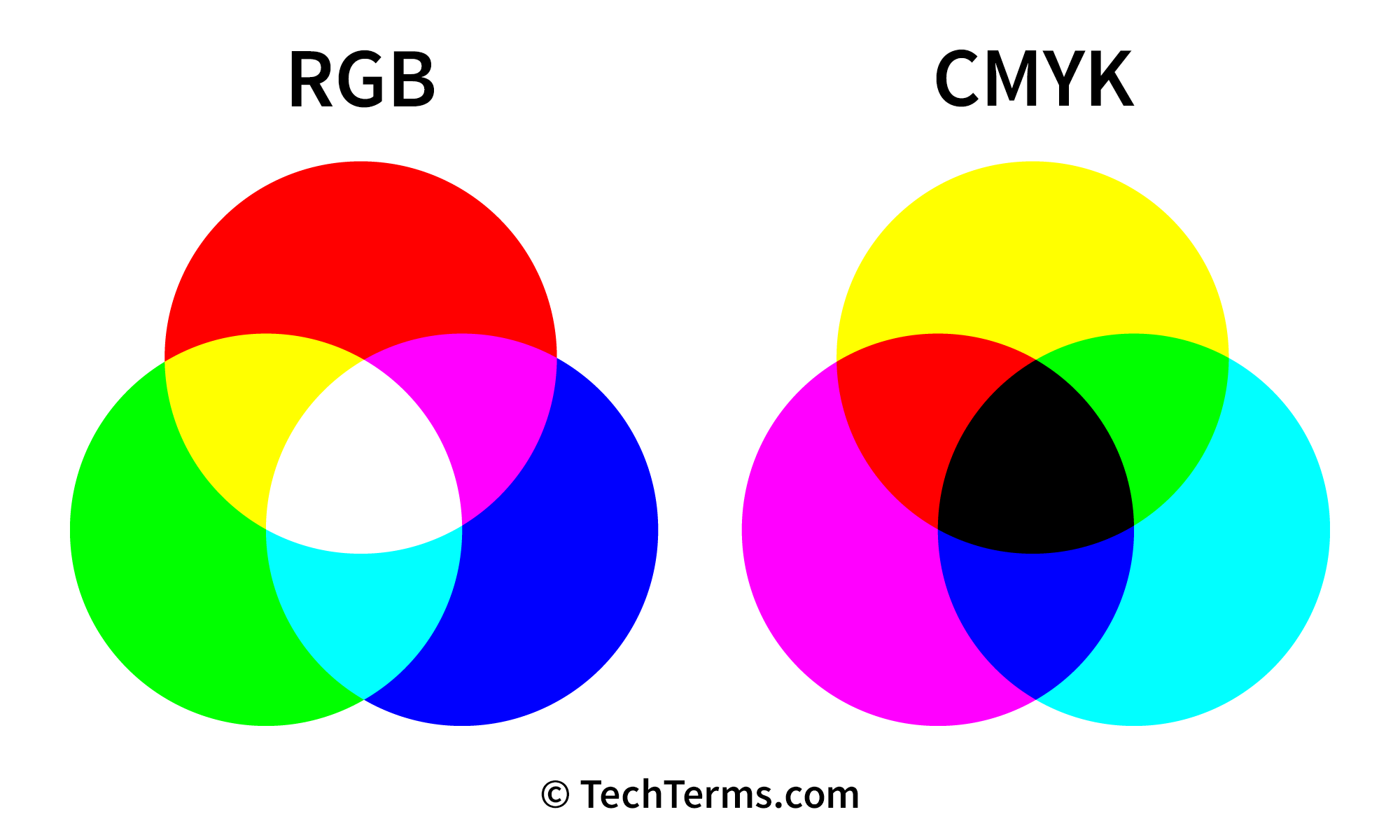
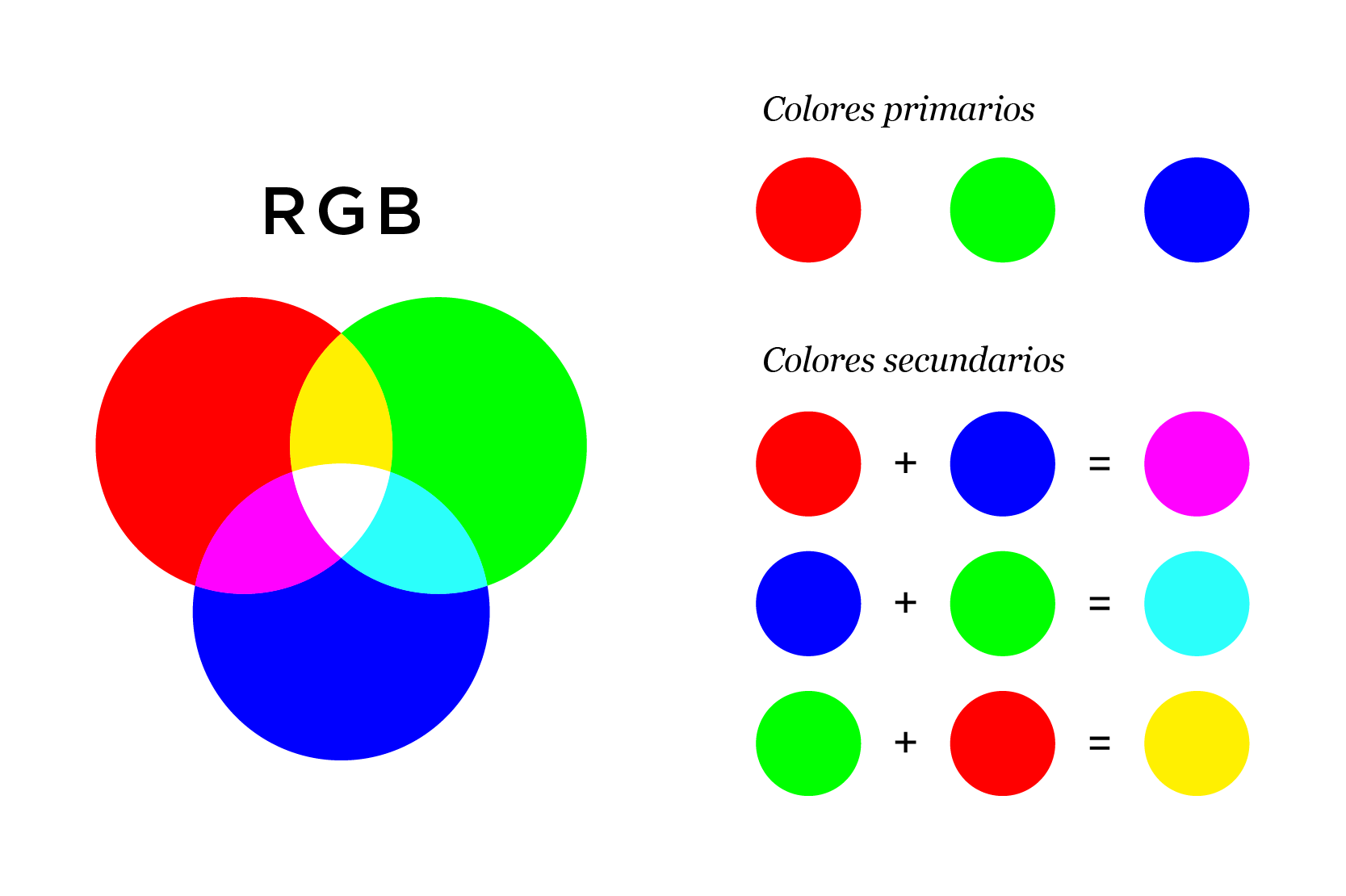
The core difficulty in achieving a perfect Rgb Paint Match stems from a fundamental difference in how color is created. Digital screens use the Additive Color Model, which is based on Red, Green, and Blue light (RGB). When you combine all three at full intensity, you get white light.
In contrast, physical paints use the Subtractive Color Model, often based on Cyan, Magenta, Yellow, and Key/Black (CMYK). Pigments absorb certain wavelengths of light and reflect others. When you mix all primary pigments, you get black (or a very dark brown).
Because the range of colors reproducible on a screen (the color gamut) is often wider and brighter than the colors reproducible with physical pigments, some extremely vivid RGB values simply cannot be perfectly replicated in standard paint formulas. This is a physical limitation, not a technological one.
Understanding Color Spaces: From Screen to Swatch
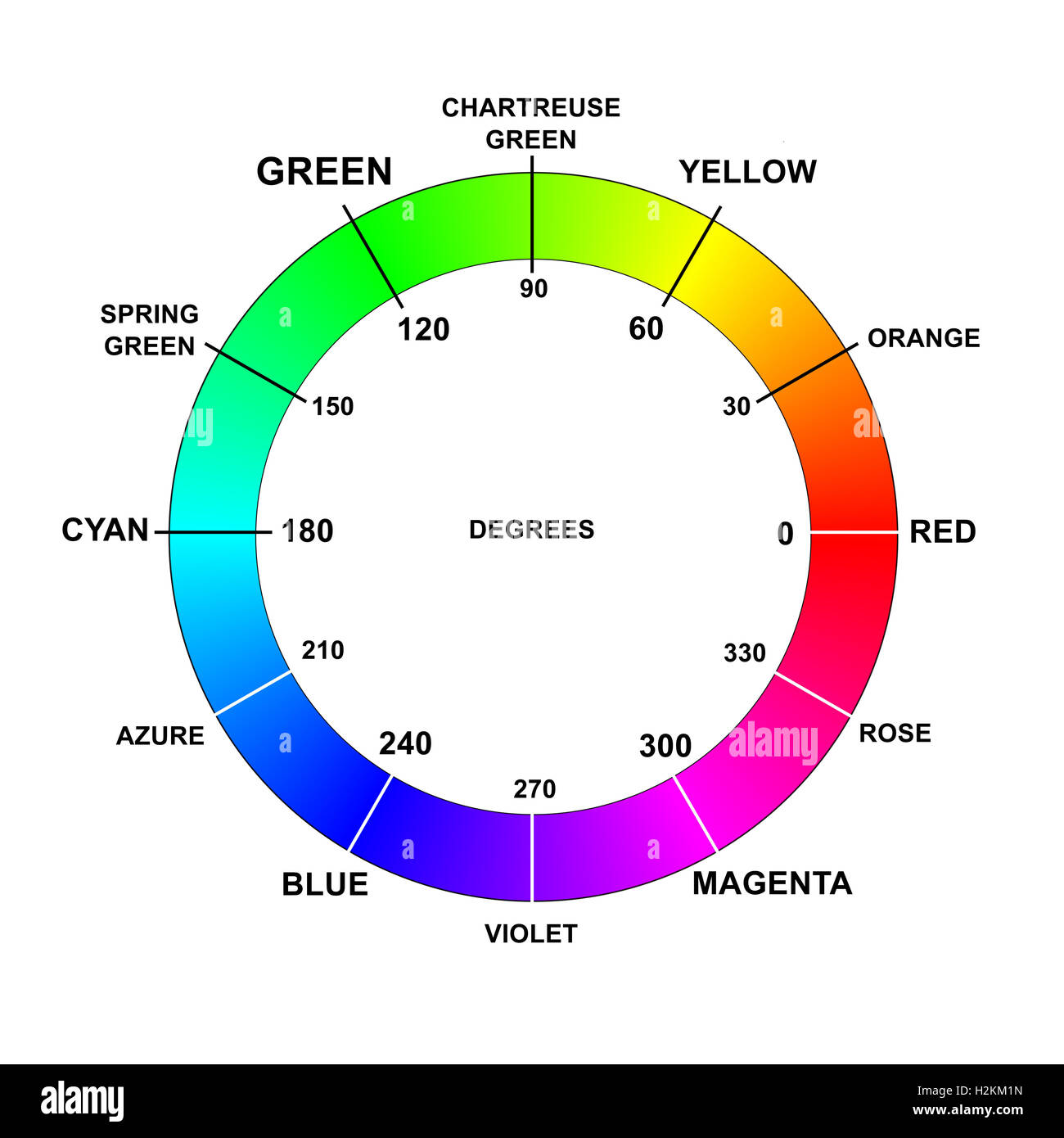
Before you even think about mixing paint, you need to verify your digital environment. Digital colors live within "color spaces," the most common being sRGB and Adobe RGB.
sRGB is the standard gamut used for the web and most digital devices. Adobe RGB offers a slightly wider range of colors, especially in greens and blues. If your color code was created in a wide-gamut space like Adobe RGB, matching it to paint becomes even harder if the final paint formula is limited to a smaller physical gamut.
Moreover, the quality of your monitor matters immensely. An uncalibrated monitor might display your chosen RGB (255, 0, 0) as a slightly muted orange-red, leading you to choose a different RGB code that looks "right" on your screen, but is fundamentally wrong when translated.
Essential Tools and Techniques for Accurate Rgb Paint Match
While we cannot magically change the laws of physics, we can use specific tools to minimize discrepancies and achieve the closest possible Rgb Paint Match.
Here are the key tools professionals rely on:
- Color Conversion Software: Use reputable software or online databases (often provided by paint manufacturers) that specialize in converting RGB or Hex codes into standardized physical color systems like Pantone, RAL, or specific paint brand codes.
- Spectrophotometers/Colorimeters: These handheld devices measure the actual reflected color of a physical object and convert it into a digital color code (RGB, Hex, L*a*b*). If you are trying to match existing physical paint, this tool is indispensable.
- Calibration Hardware (Spyder/i1Display): These are necessary to ensure your monitor is displaying colors accurately according to industry standards.
- Physical Swatch Books: Always compare the suggested paint code against a physical swatch book from the specific paint brand. This helps you visually confirm the translation before purchase.
Calibrating Your Workflow for Optimal Results
Your digital and viewing environments must be standardized to eliminate variables. Without proper calibration, even the best tools will produce unreliable results. Calibration is step zero in any successful Rgb Paint Match project.
Follow these steps to ensure accuracy:
- Calibrate Your Monitor: Use hardware calibrators (not just screen settings) monthly. Set your white point and target gamma (usually 2.2).
- Standardize Lighting: When viewing physical swatches or testing paint samples, use consistent, neutral light. Daylight (D50 or 5000K) is generally the standard for graphic design and print, but be aware of the actual light source where the final paint will reside (e.g., warm LED, fluorescent).
- Work with Standardized Color Spaces: Always ensure your digital design file is set to sRGB unless you have a specific, controlled reason to use Adobe RGB. This maximizes compatibility.
Step-by-Step Guide to Achieving the Perfect Rgb Paint Match
Now that your setup is calibrated, let's move into the process of translating that digital color into a physical formula.
First, identify your exact RGB value (e.g., R: 100, G: 150, B: 200). Then, use a reliable converter. Many major paint manufacturers have excellent online conversion tools that translate RGB directly into their proprietary numbering systems.
However, simply converting the numbers isn't enough. You must always test and verify the sample.
The translation process often relies on the L*a*b* color model (a device-independent space). When converting RGB to paint, the software aims to find the L*a*b* coordinate that is closest to your target, and then translates that L*a*b* value into a physical paint formula.
Selecting the Right Paint Base
The final factor that dramatically affects how a color is perceived is the finish or sheen of the paint. The same exact pigment mixture can look drastically different in matte versus high-gloss finishes. This is due to the way light reflects off the surface.
Matte finishes absorb more light, which can make the color appear slightly darker and richer. Conversely, gloss finishes reflect more light, often making the color appear brighter and potentially lighter, and highlighting texture differences.
When seeking a perfect Rgb Paint Match, you must factor in the following considerations:
- Matte/Flat: Best for hiding imperfections; slightly darkens the color.
- Semi-Gloss/Satin: Reflects some light; good balance for durability and color visibility.
- High-Gloss: Highly reflective; makes colors pop but emphasizes surface flaws.
Always communicate your desired finish when having a color mixed, as the base formulation may need minor adjustments to achieve the best visual result under the specified sheen.
Verifying Your Rgb Paint Match Sample
Never buy gallons of paint based solely on a digital code. Purchase a small sample pot first. Paint a swatch on the actual surface (or on a piece of poster board you can move around the space).
Observe the swatch under different lighting conditions—daylight, interior lighting, and shadow areas. Since light is the primary factor in how we perceive color, testing the sample in the final environment is the final, non-negotiable step to confirm you achieved the desired Rgb Paint Match.
Conclusion: Bridging the Digital-Physical Divide
Achieving a precise Rgb Paint Match requires more than just plug-and-play conversion. It demands a holistic understanding of color science, careful environment calibration, and the use of professional conversion tools. By respecting the difference between additive and subtractive color models, standardizing your workflow, and always verifying with physical samples, you can confidently translate those perfect digital shades into beautiful, real-world colors.
Remember, the goal is not always perfect numerical parity, but perfect visual parity. Trust your calibrated eyes and your tested sample above all else.
Frequently Asked Questions (FAQ) About Rgb Paint Match
- What is the main challenge in Rgb Paint Match?
- The main challenge is that digital screens use the Additive Color Model (light), which has a wider gamut than physical paint pigments (Subtractive Color Model). Some highly saturated RGB colors cannot be physically replicated.
- Can I just use an online converter for Rgb Paint Match?
- Online converters are a great starting point, but they should never be the final step. Always compare the suggested paint code with a physical swatch and test a sample on your surface, as conversion discrepancies and monitor biases are common.
- Does the paint sheen really affect the color?
- Absolutely. Sheen (or finish) dictates how light reflects off the surface. High-gloss finishes reflect more light, making colors appear brighter, while matte finishes absorb light, often making the color appear slightly darker.
- What does 'L*a*b*' have to do with Rgb Paint Match?
- L*a*b* (CIELAB) is a device-independent color space, meaning the L*a*b* values are consistent regardless of the display or medium used. Professional converters use L*a*b* as an intermediary step to translate the RGB code into the closest possible physical pigment formula.
Rgb Paint Match
Rgb Paint Match Wallpapers
Collection of rgb paint match wallpapers for your desktop and mobile devices.

Exquisite Rgb Paint Match Abstract Digital Art
Immerse yourself in the stunning details of this beautiful rgb paint match wallpaper, designed for a captivating visual experience.
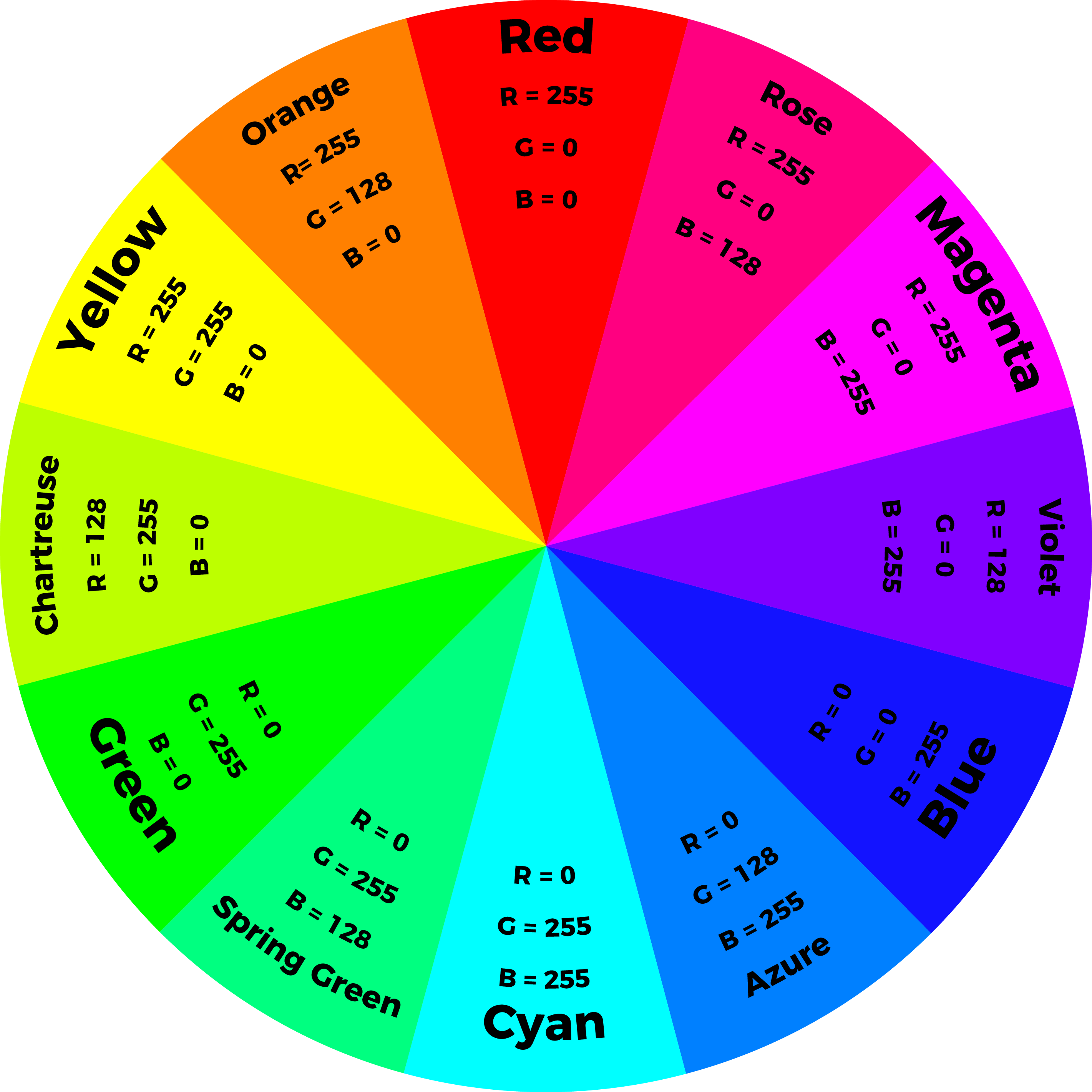
Beautiful Rgb Paint Match View Illustration
Explore this high-quality rgb paint match image, perfect for enhancing your desktop or mobile wallpaper.
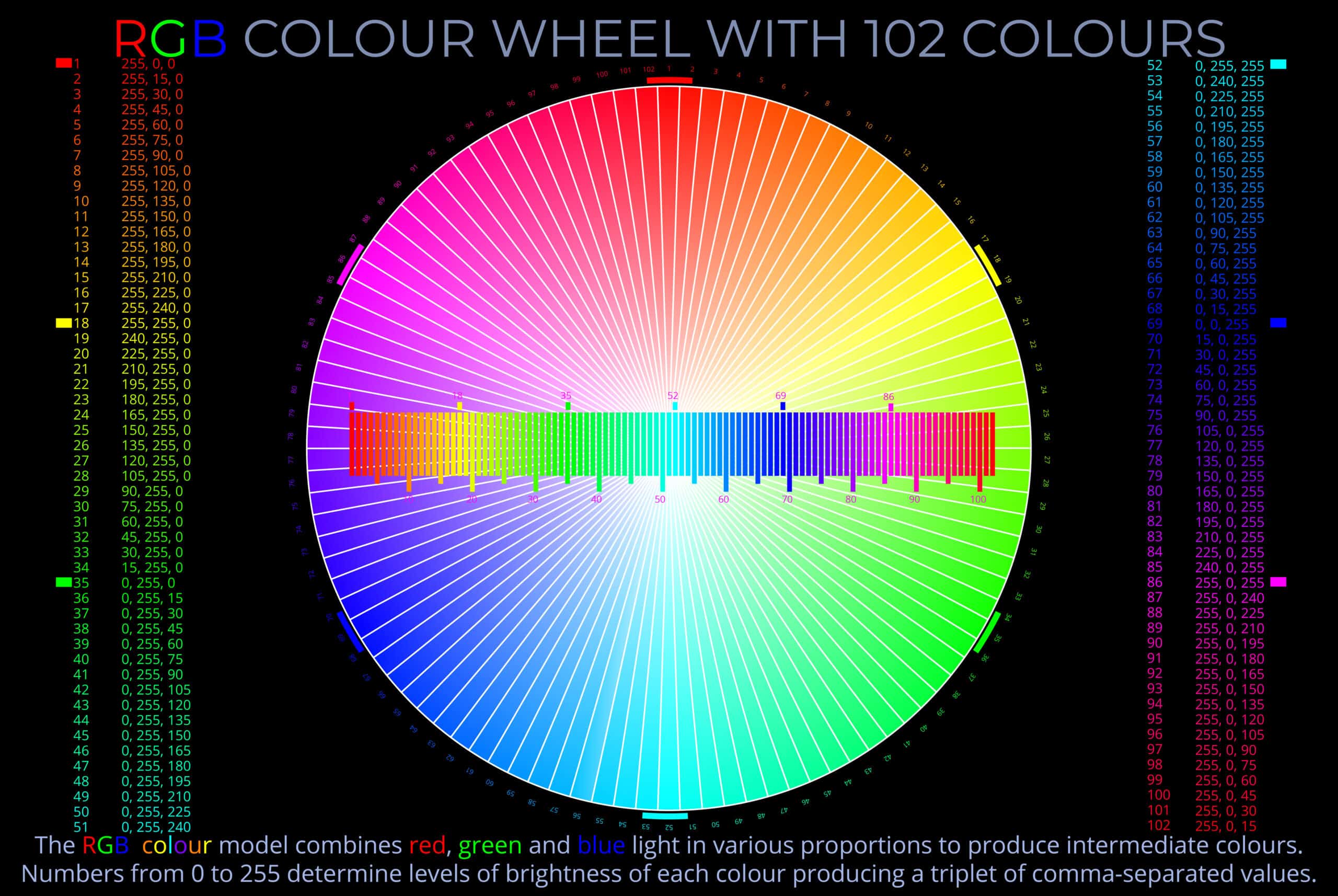
Exquisite Rgb Paint Match Landscape for Mobile
Find inspiration with this unique rgb paint match illustration, crafted to provide a fresh look for your background.
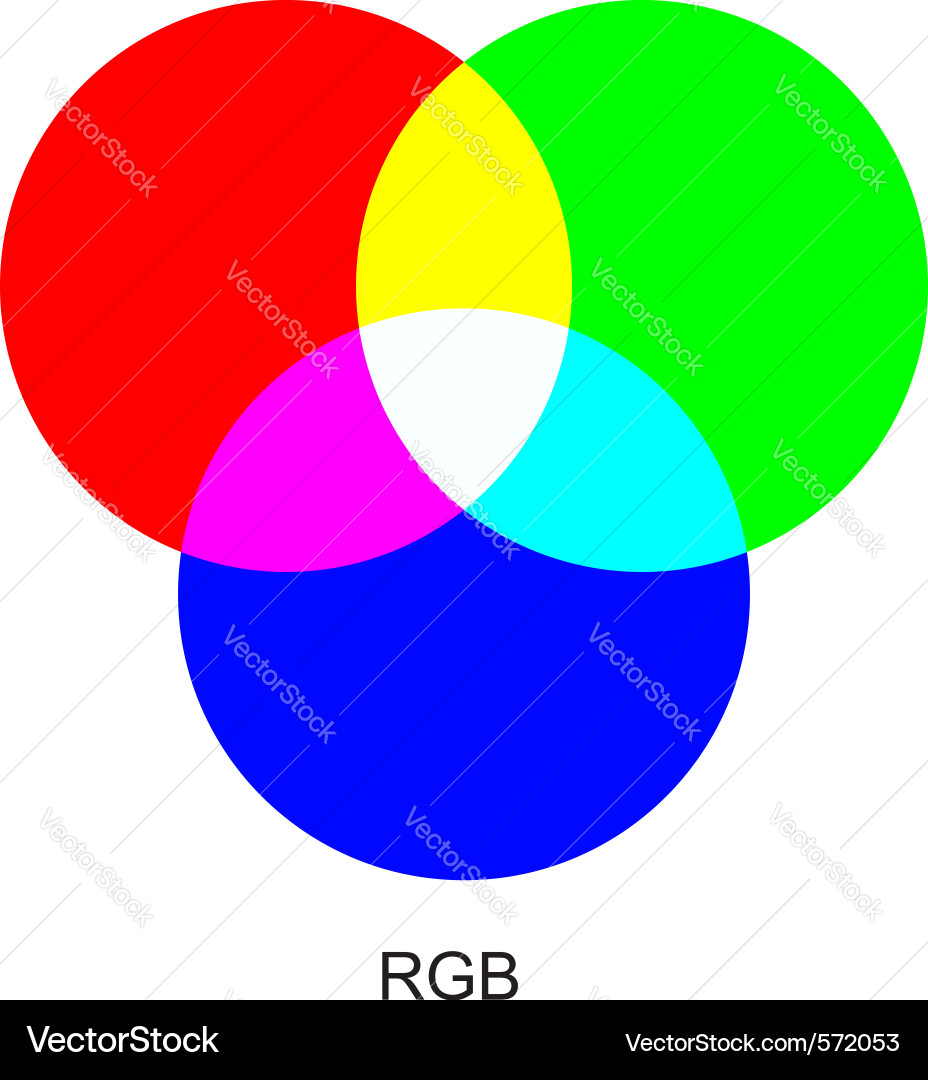
Breathtaking Rgb Paint Match Artwork Photography
Experience the crisp clarity of this stunning rgb paint match image, available in high resolution for all your screens.
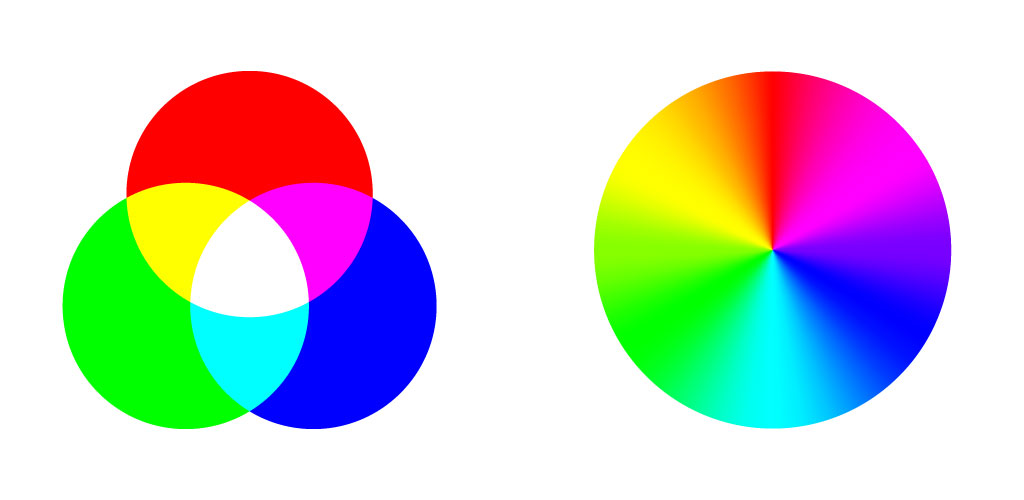
Spectacular Rgb Paint Match Design for Mobile
A captivating rgb paint match scene that brings tranquility and beauty to any device.

Spectacular Rgb Paint Match Photo Concept
A captivating rgb paint match scene that brings tranquility and beauty to any device.

Gorgeous Rgb Paint Match Background for Desktop
Find inspiration with this unique rgb paint match illustration, crafted to provide a fresh look for your background.

High-Quality Rgb Paint Match Image for Desktop
Explore this high-quality rgb paint match image, perfect for enhancing your desktop or mobile wallpaper.
Detailed Rgb Paint Match Abstract Art
Discover an amazing rgb paint match background image, ideal for personalizing your devices with vibrant colors and intricate designs.

Mesmerizing Rgb Paint Match Design for Mobile
Experience the crisp clarity of this stunning rgb paint match image, available in high resolution for all your screens.
Vivid Rgb Paint Match Wallpaper for Mobile
Experience the crisp clarity of this stunning rgb paint match image, available in high resolution for all your screens.

Artistic Rgb Paint Match Artwork Illustration
A captivating rgb paint match scene that brings tranquility and beauty to any device.
Spectacular Rgb Paint Match Capture Concept
A captivating rgb paint match scene that brings tranquility and beauty to any device.
Vibrant Rgb Paint Match Wallpaper Illustration
Explore this high-quality rgb paint match image, perfect for enhancing your desktop or mobile wallpaper.

Dynamic Rgb Paint Match Landscape for Mobile
Find inspiration with this unique rgb paint match illustration, crafted to provide a fresh look for your background.
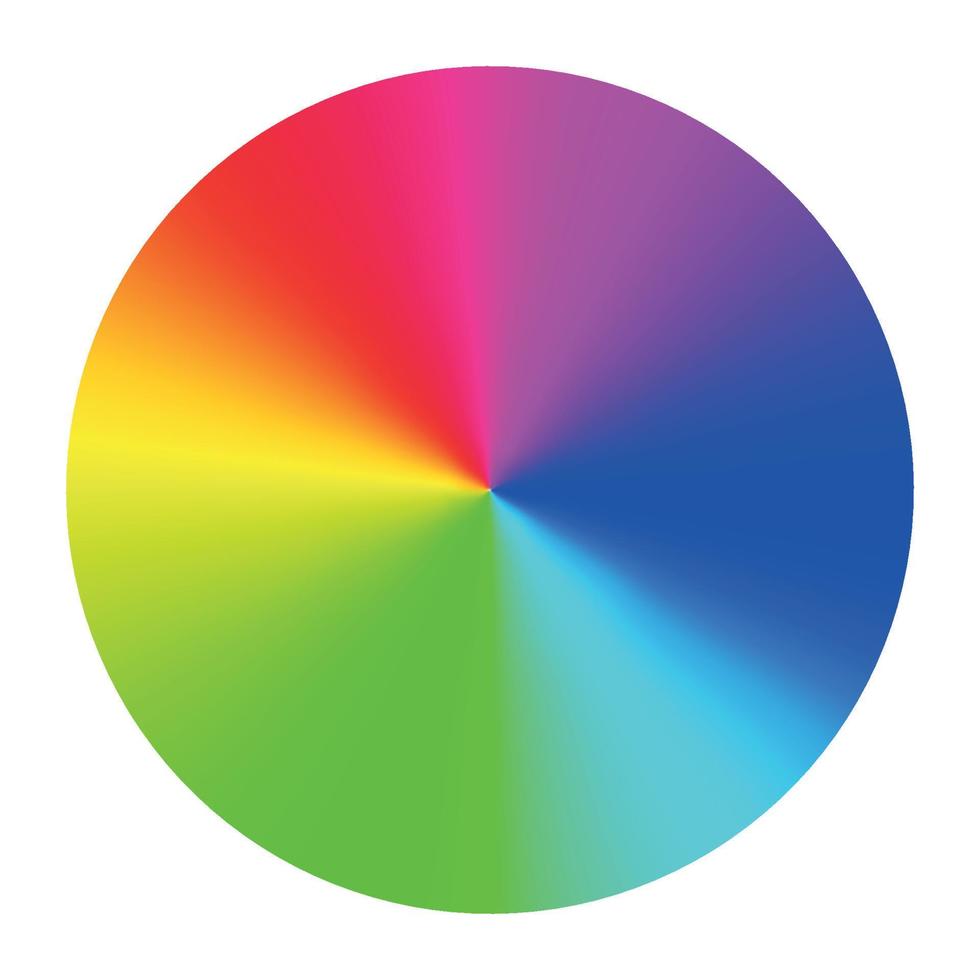
Serene Rgb Paint Match Wallpaper Art
Discover an amazing rgb paint match background image, ideal for personalizing your devices with vibrant colors and intricate designs.

Beautiful Rgb Paint Match Background in 4K
Discover an amazing rgb paint match background image, ideal for personalizing your devices with vibrant colors and intricate designs.
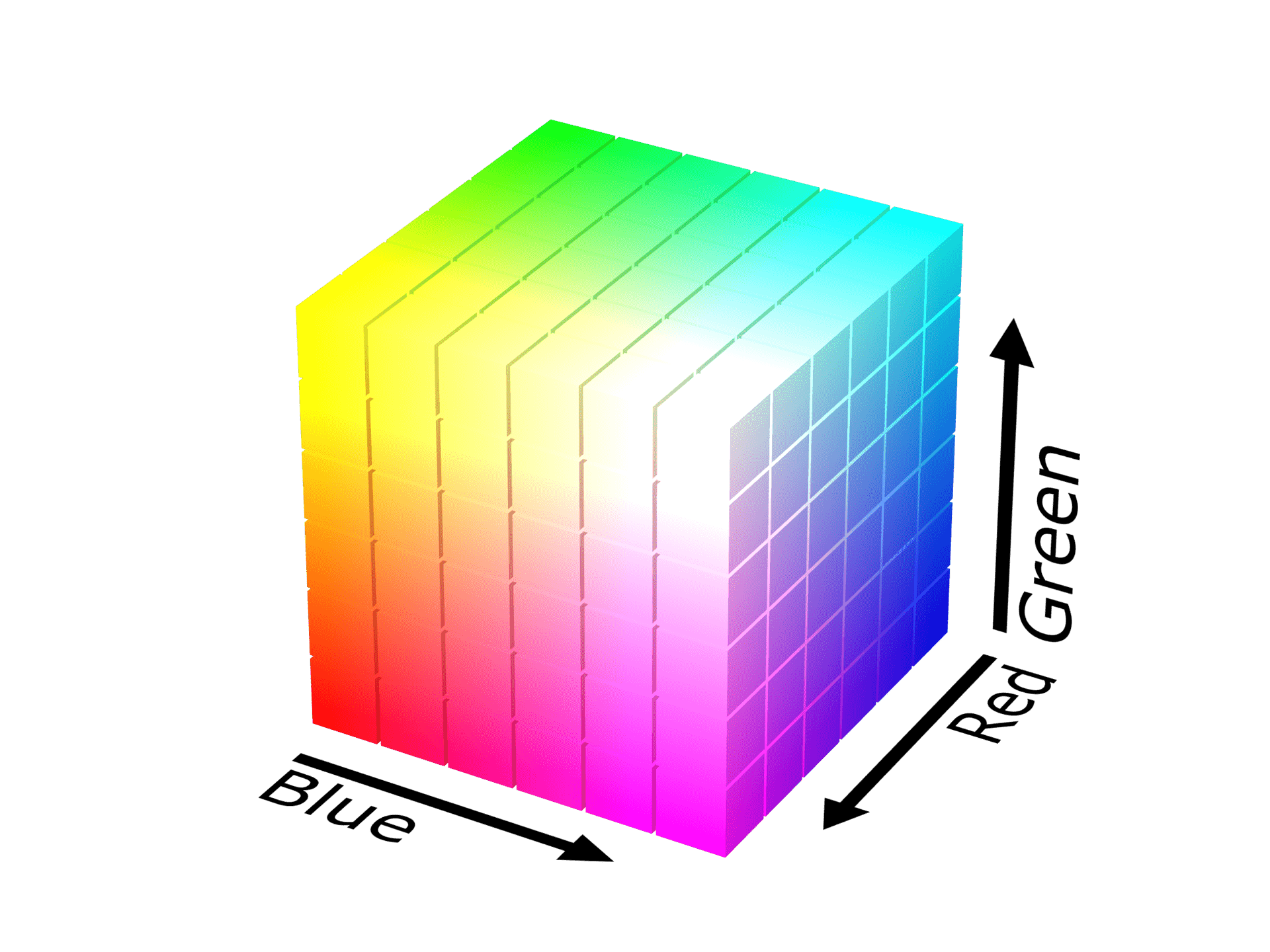
Vivid Rgb Paint Match Design Illustration
Transform your screen with this vivid rgb paint match artwork, a true masterpiece of digital design.

Exquisite Rgb Paint Match Landscape Photography
Immerse yourself in the stunning details of this beautiful rgb paint match wallpaper, designed for a captivating visual experience.
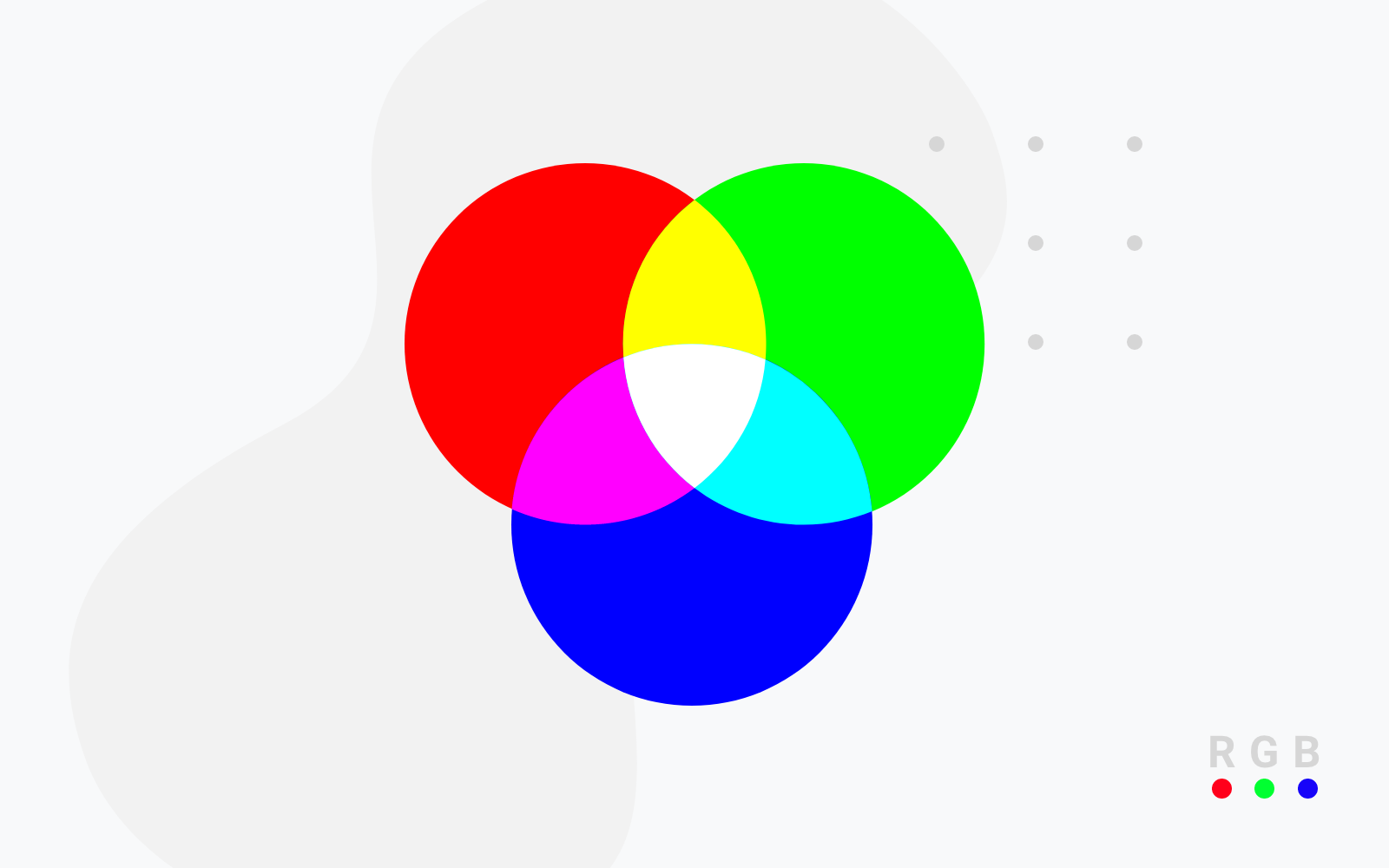
Mesmerizing Rgb Paint Match Moment Nature
Discover an amazing rgb paint match background image, ideal for personalizing your devices with vibrant colors and intricate designs.
Download these rgb paint match wallpapers for free and use them on your desktop or mobile devices.